Bank Accounts
You can add company bank accounts to eRocks and edit or remove bank accounts.
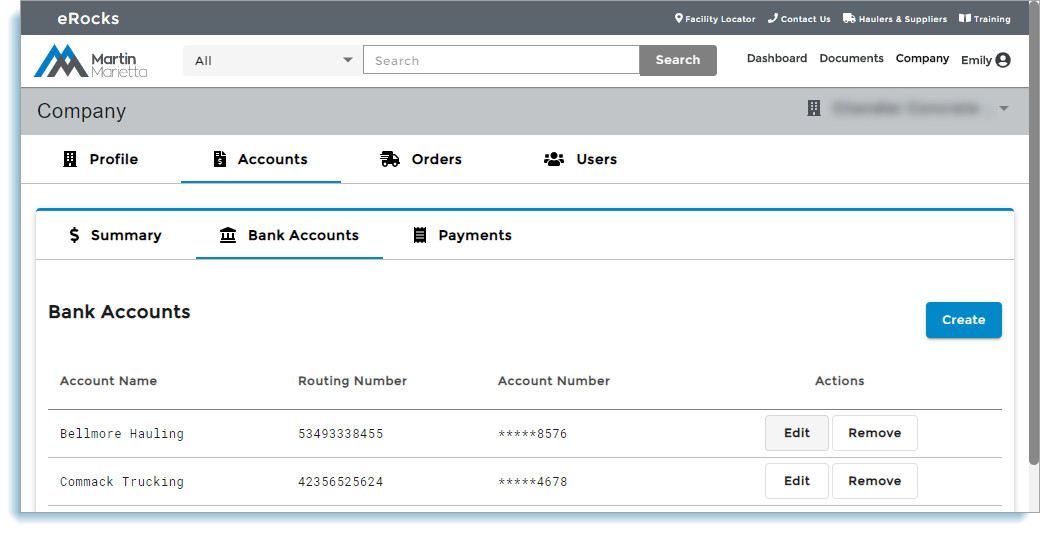
Open the Account Summary page and click Bank Accounts:
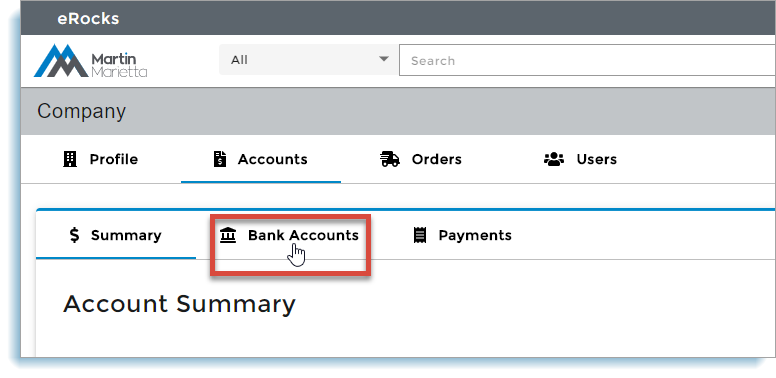
Your company's eRocks bank accounts display:
| 1 |
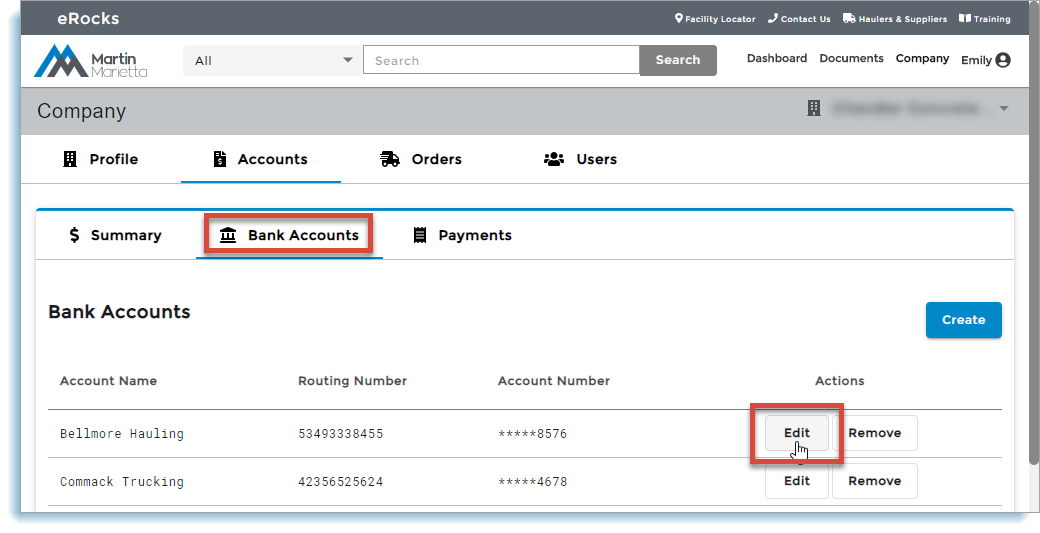
Click Bank Accounts and click Create:
|
| 2 |
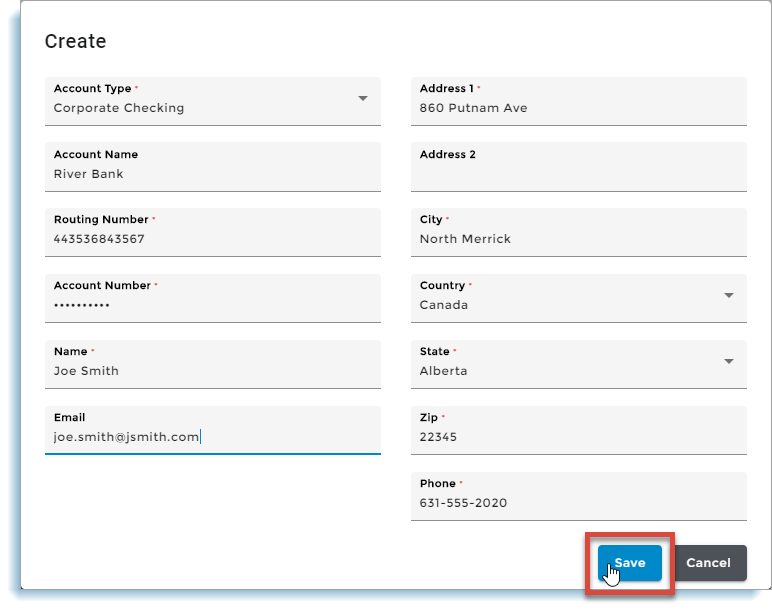
Note: eRocks does not auto check account and routing numbers. Ensure these numbers are correct when editing. Enter information for all required (*) fields. You can edit account information later if necessary. When you are done, click Save:
The bank account is added. |
| 1 |
Click Bank Accounts and locate the account. To remove the account, click Remove. To edit the account, click Edit:
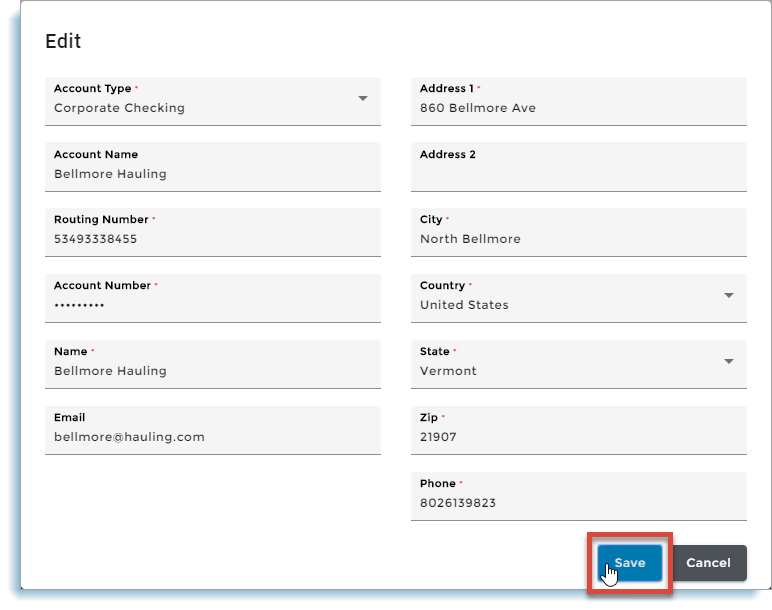
The account's Edit dialog displays. |
| 2 |
Note: eRocks does not auto check account and routing numbers. Ensure these numbers are correct when editing. Edit as necessary and click Save:
The bank account information is updated. |
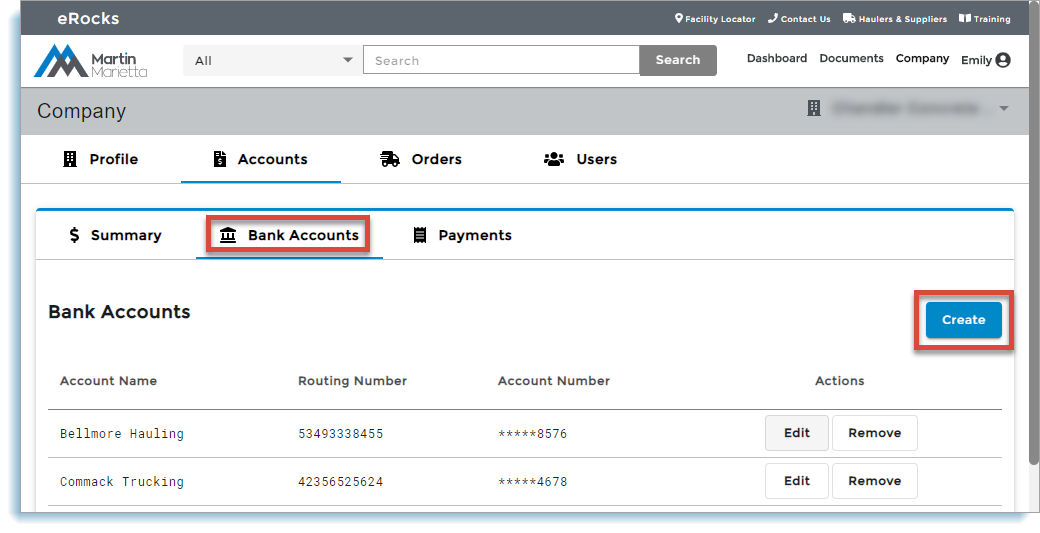 The account Create dialog displays.